Agent context
What the model has to read: the raw page, or the Agent Observation of elements it can address.
4.3× smaller than the raw page
- Raw HTML
- 559 B
- Agent Observation
- 129 B
The browser for AI agents
jawb gives agents the web in the form they need: read it, act on it, or see it.
Built for agents, not for people to look at.
Read runs natively today. Act and See use a locally installed Chrome or Chromium bridge. Classified purchase-like actions use a human-confirmation flow.
$ jawb open https://example.com
$ jawb read --format md
168 B of Markdown from 559 B of raw HTMLMeasured · example.com · 2026-09-28
[01] jobs
Tell jawb what the agent needs to do. It hands back the web in that form.
Research, extraction, and retrieval: jawb returns the main content as Markdown — headings, links, lists, tables, code — and drops scripts, styles, and layout.
559 B HTML → 168 B Markdown · 3.3× smaller
Measured · example.com · 2026-09-28On markup-heavy pages the gap is far larger — see real pages.
$ jawb open https://example.com
$ jawb read --format md
# Example Domain

This domain is for use in documentation examples without needing permission. Avoid use in operations.

[Learn more](https://iana.org/domains/example)
Recorded 2026-09-28 with jawb 0.1.0 (core 676b0cb) against the live Rust Book. Its search results are rendered by JavaScript, so jawb moved the tab onto the compatibility bridge (headless Chrome), opened the search bar, typed, waited, and read the page as Markdown. The result excerpts are left out below; the link of each result is kept.
$ jawb open -q https://doc.rust-lang.org/book/exit 0 · 149 mst_2mknk0
$ jawb observe --interactive-onlyexit 0 · 181 ms… [14] button "Toggle Searchbar" … [18] searchbox "Search this book ..." …
$ jawb click 14exit 0 · 621 msclick [153] ok ~ [153] state: [] -> ["expanded"] ~ [157] state: ["hidden"] -> ["focused"] rev 2 → 3 (bridge, 271ms) (retargeted 14 → 153) warning: tab promoted to bridge
$ jawb type 157 "borrow checker"exit 0 · 997 mstype [157] ok navigated -> https://doc.rust-lang.org/book/?search=borrow%20checker (156 elements; run `jawb observe` for the page) rev 3 → 4 (bridge, 951ms)
$ jawb wait --for "text:search results"exit 0 · 31 msmatched text:search results after 0ms (0 poll(s), rev 4)
$ jawb read --format md --fullexit 0 · 47 ms… 17 search results for 'borrow checker': - [Generic Types, Traits, and Lifetimes » Validating References with Lifetimes » The Borrow Checker](https://doc.rust-lang.org/book/ch10-03-lifetime-syntax.html?highlight=borrow%20checker#the-borrow-checker) - [Smart Pointers » RefCell and the Interior Mutability Pattern » Using Interior Mutability](https://doc.rust-lang.org/book/ch15-05-interior-mutability.html?highlight=borrow%20checker#using-interior-mutability) - [Generic Types, Traits, and Lifetimes » Validating References with Lifetimes » In Function Signatures](https://doc.rust-lang.org/book/ch10-03-lifetime-syntax.html?highlight=borrow%20checker#in-function-signatures) … -- 19444 bytes of md from 68676 bytes of HTML (body, rev 4, bridge, 1ms)
6 commands · 2.0 s wall time in total
[02] explainer
From a raw page to an action: what an agent reads, and how little of it it needs.
Music composed in code by jawb, performed with the Salamander Grand Piano V3 by Alexander Holm (CC BY 3.0) and VSCO 2 Community Edition by Versilian Studios (CC0).
rust-lang.org screenshots recorded with jawb; Rust and the Rust logo are trademarks of the Rust Foundation.
[03] reduction
The real HTML of example.com, and what jawb hands an agent that has to act on it: the one control on the page.
559 B129 B
559 B raw HTML → 129 B observationraw HTMLobservation
example.com's 559-byte HTML reduces to a 129-byte observation holding one link, "Learn more".
[04] benchmarks
The measured result is smaller page output. Time to an actionable interface is a planned benchmark, not a published performance claim.
What the model has to read: the raw page, or the Agent Observation of elements it can address.
4.3× smaller than the raw page
How long the agent waits before it has an interface it can act on — not how long the page takes to paint.
[05] gallery
What an agent would take in on well-known pages: the raw HTML, jawb's Markdown of its main content (Read), or its observation of the elements to act on (Act). The gap depends on the page — markup-heavy pages shrink the most.
13.5× smaller as Markdown
488 addressable elements · Markdown of the main content
4.2× smaller as Markdown
1384 addressable elements · Markdown of the main content
96.4× smaller as Markdown
71 addressable elements · Markdown of the main content
2.1× smaller as Markdown
582 addressable elements · Markdown of the whole page
1.9× smaller as Markdown
41 addressable elements · Markdown of the main content
One capture per page, taken with jawb core 676b0cb on 2026-09-28: the observation from the daemon, the Markdown through the real CLI (jawb read --format md, native unless marked --js). Pages change, so re-captures will differ. Bytes, not tokens. Method: benchmark-method.json.
[06] why-jawb
A browser shaped around how agents actually work.
Agents get the content and the controls, not the markup. This page, for one:
78.2 KB → 3.1 KB · 25.3× smaller
Measured · jawb-app.4hum-ai.workers.dev · 2026-10-05jawb discovers the tools a site declares for agents and lists their names and descriptions for your agent to inspect. It does not invoke them today. This site declares tools for agents — jawb core's discovery finds all 3:
A local daemon and a CLI, next to the models, credentials, and tooling your system already uses.
$ curl -fsSL https://get.jawb.app/install.sh | sh
$ jawb open <url>
$ jawb observe
[07] use-cases
Three workflows that run on jawb today, with the commands that do them.
Your agent reads the docs, dashboards and intranet pages you sign in to, as Markdown.
[1]Keep a profile for work. It is encrypted at rest.
$ jawb profile create work
$ jawb profile use work
[2]Sign in once with fill and click. The profile keeps the cookies.
$ jawb open https://intranet.example/login
$ jawb fill --role textbox:Email you@example.com
[3]Read any page behind the login.
$ jawb open https://intranet.example/handbook
$ jawb read --format md
Signing in runs on the local Chrome or Chromium bridge; add --js to read pages that render with JavaScript. jawb reads the pages you open. It does not search the web or crawl sites. Session cookies end when the daemon stops.
Agents fill forms and click through workflows. Classified purchase-like actions use a human-confirmation flow.
[1]Fill and submit forms, targeting fields by role, text or id.
$ jawb fill --role "textbox:Full name" "Jane Doe"
$ jawb submit --role "button:Send application"
[2]Uploads and other sensitive steps ask first. --yes pre-approves them.
$ jawb upload --role textbox:Resume resume.txt --yes[3]A purchase-like click is held. --yes never satisfies it: a person types purchase to approve.
$ jawb click --text "Place order"
$ jawb confirm <id>
A safeguard for honest checkout flows, not a guarantee against a hostile page. On macOS and Linux, where the OS does not verify the approval yet, a program running as you can still approve.
Point your agent at a dev server and let it check acceptance criteria the way a user would.
[1]Open a local or LAN address you name. No flag needed.
$ jawb open http://localhost:3000[2]Observe the page, then act on elements by id.
$ jawb observe --interactive-only
$ jawb click 12
[3]Check the phone layout, then list every step.
$ jawb viewport mobile
$ jawb screenshot --out home-mobile.png
$ jawb trace
jawb drives the page; keep your test runner for the suite. Link-local and cloud-metadata addresses are always refused.
[08] approvals
Classified purchase-like actions use a human-confirmation flow. jawb holds the action, issues the agent no approval token, and asks you. --yes never satisfies it.
desktop
Lists every purchase waiting for you, with the site and the amount, and approves or declines it.
Not released yet. It is first in the default order, so it takes over the asking once it ships.
prompt
jawbd raises the system’s user-verification dialog itself: “Approve purchase on <host>: <amount>”. Approve with your PIN or fingerprint, or cancel to deny.
Windows Hello today. macOS and Linux have no verifier yet, so approvals there are recorded as asserted, not verified.
terminal
jawb confirm shows what is held and asks you to type purchase, or deny.
$ jawb confirm pc_348xpkg9ga5vRuns only on an interactive terminal: no --json, no --yes. Where Windows Hello is available, it still asks you to verify.
approval.timeout_s), then it is dropped.jawbd’s own control port.Two keys in jawb’s configuration file set the purchase gate.
# <data_dir>/config.toml
[purchase]
gate = "approve"      # deny | approve | allow
detection = "strict"  # strict | standard

[profiles.shopping.purchase]
gate = "deny"         # this profile never buys
$ jawb config set purchase.gate denyjawb config is in jawb 0.1.1 and later.purchase.gate = approve · deny · allow
approve, the default, holds the action for a person. deny refuses it and asks nobody. allow lets it run, with a warning on the command. Set it globally or per profile.
purchase.detection = strict · standard
strict, the default, adds a payment-context hold: on a page with a payment field, a payment provider’s frame or a checkout path, every state-changing request from that tab is held while your agent acts and refused otherwise. standard keeps the label classifier, the marker on purchase submissions and the checkout hold.
Weakening a safety setting takes a person too. A value below the default, such as allow or standard, waits for an approval through the same channels, and asks again on every daemon start. An agent that edits the file and restarts jawbd does not switch the gate off.
What it does not catch: WebSocket traffic is not blocked, and a page with no payment signals at all, such as a one-click button on an otherwise neutral page, is not detected. The gate is a safeguard for honest checkout flows, not a guarantee against a hostile page. What the purchase gate covers, and what it does not
[09] extensions
Extensions add tools to jawb’s browser for agents: tools for the sites you use, connectors to your apps, and workflows that write a report. What they do goes through the same checks as a direct command. Community extensions are listed on jawb Hub.
Planned · jawb’s own extensions are not in a release yetapp.jawb.uat
Runs acceptance criteria against your site and writes a PASS, FAIL, UNCERTAIN or BLOCKED report with screenshots and trace ids.
app.jawb.extract
Turns tables, lists and repeated cards on a page into rows, as JSON or CSV.
app.jawb.notion
Reads and updates your Notion pages through Notion’s own MCP server, signed in with your Notion account. Your Notion plan’s limits apply.
jawb’s extensions, community listings, and how they stay within jawb’s checks
[10] task-story
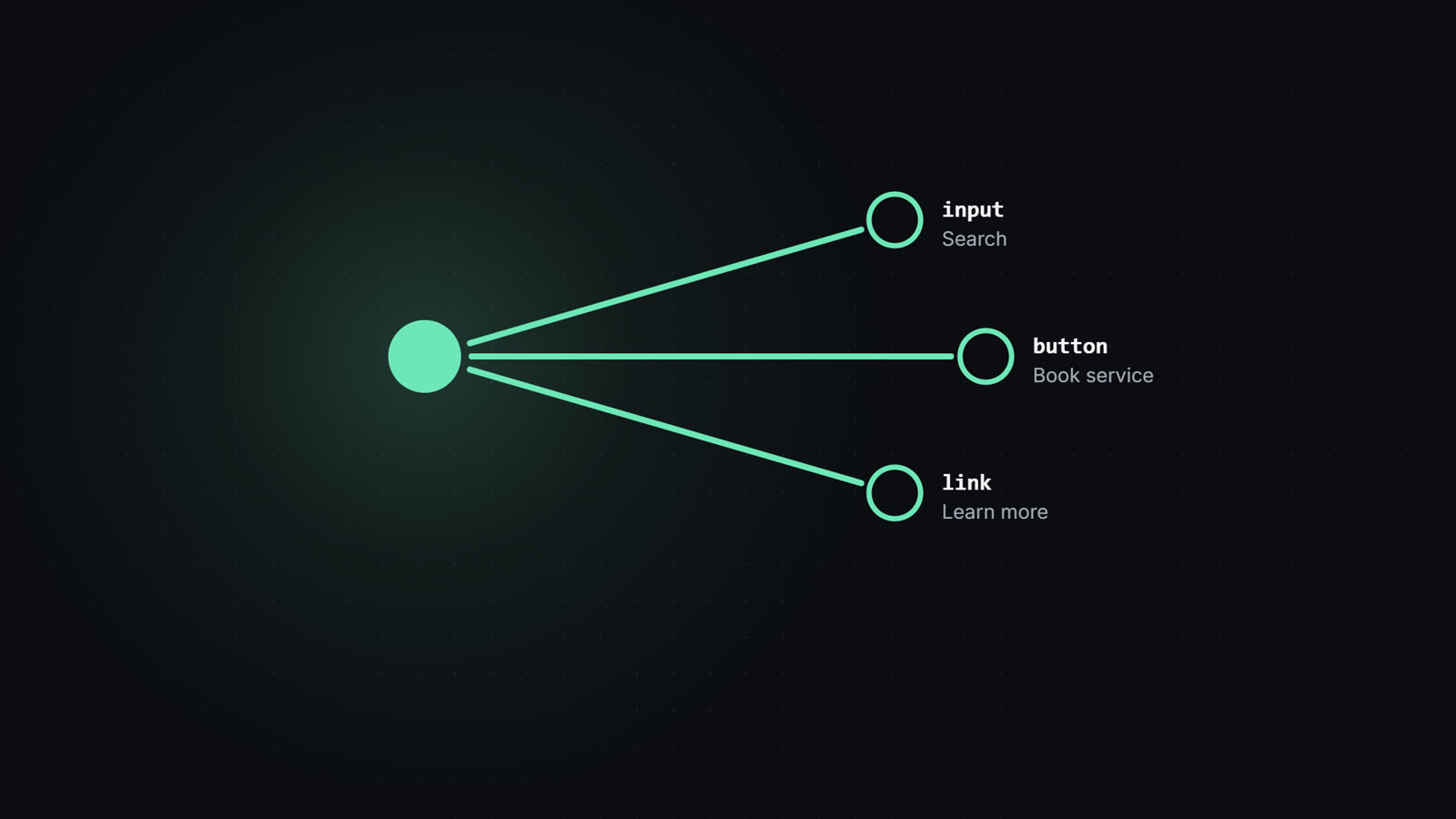
When a site declares a tool, jawb returns its metadata for the agent to inspect.
[1] declare
jawb reads the tools the site declares for agents — no page interpretation yet.
<script type="application/webmcp+json">
{"tools": [{"name": "book_service",
"description": "Book a service slot"}]}[2] discover
jawb lists the declared name and description. It does not invoke the tool.
jawb tools

book_service — Book a service slot
[11] under-the-hood
jawb reads pages natively, discovers declared tools, and uses a local Chrome or Chromium bridge for actions and visual commands.
Parses a page into Markdown and a compact Agent Observation: the content, and the elements an agent can address.
{
  "url": "https://example.com",
  "elements": [
    {
      "id": 11,
      "role": "link",
      "label": "Learn more",
      "href": "https://iana.org/domains/example"
    }
  ]
}
Output of jawb observe https://example.com — the Agent Observation, not the page’s HTML.